


 Netherlands
 Bestseller
 All Printers
 All Labels
 Money Counters
 All Accessories
Printing shipping labels is an important task for small businesses, without taking up a lot of time and money. In this blog, we will discuss the cheapest ways to print shipping labels without leaving your home.
Choosing the Right Printer
Generally, there are two common types of printers for printing shipping labels: home inkjet printers and thermal label printers. To help you make the right decision, we will consider several factors.
If you only ship a few packages and your business has recently started, a printer you already have at home will suffice. You can print on regular computer paper, cut out the label, and tape it to the package. However, make sure the paper is not damaged by oil or water; otherwise, you may have to return it to the carrier and reprint it.
If you ship a large number of packages and your business is growing, you definitely need a thermal label printer. A 4x6 thermal shipping label is self-adhesive, which eliminates the need for cutting and gluing. Thermal label printers use heat to print on special thermal labels, so no ink or toner is needed. This makes them more cost-effective in the long run, especially for businesses with high shipping volumes. They also print faster than a conventional inkjet printer, at a speed of 72 labels/minute.

Printing Shipping Labels with Carrier Platforms
Online shipping platforms like USPS, UPS, and FedEx offer an easy and convenient way to print shipping labels. These platforms allow you to print labels directly from your computer and often at discounted shipping rates, especially if you ship more than thousands of packages a year. Simply create an account on the website, enter the shipping information, and arrange a pickup.
Printing Shipping Labels with Shipping Software
Shipping software is a valuable tool for small businesses that frequently ship packages. These offer features such as batch processing, address verification, and tracking. Many shipping software solutions, such as ShipStation and Stamps.com, allow you to print shipping labels directly from the software.
Using shipping software not only simplifies label printing but also helps you compare shipping rates from different carriers so you can choose the most cost-effective option for each shipment. Some shipping software providers charge a monthly fee for their service. It is advisable to compare pricing plans to find the best one for you.
Printing Shipping Labels with E-commerce Platforms
Another option is to use e-commerce platforms. Many large platforms like Shopify, eBay, and Etsy offer integrated shipping label printing functions. These platforms often work with major shipping companies like USPS, UPS, and FedEx. If you buy shipping labels on Etsy, the cost can be up to 30% lower than the USPS rate. Once you receive an order, you can create a shipping label with a few clicks. You can also compare rates and choose the most cost-effective shipping method for each order based on weight, dimensions, and destination.
Where can I buy cheap shipping labels?
In most cases, it is cheaper to buy shipping labels online than at the post office. Munbyn offers high-quality 4x6 thermal fanfold shipping labels that come with 500 labels per pack. They are FSC certified and completely water and oil resistant. They can be easily peeled off without tedious cutting and gluing. They are also compatible with all direct thermal printers except Dymo. If you want to customize your shipping labels even further, you can choose between three colors to match your packaging style.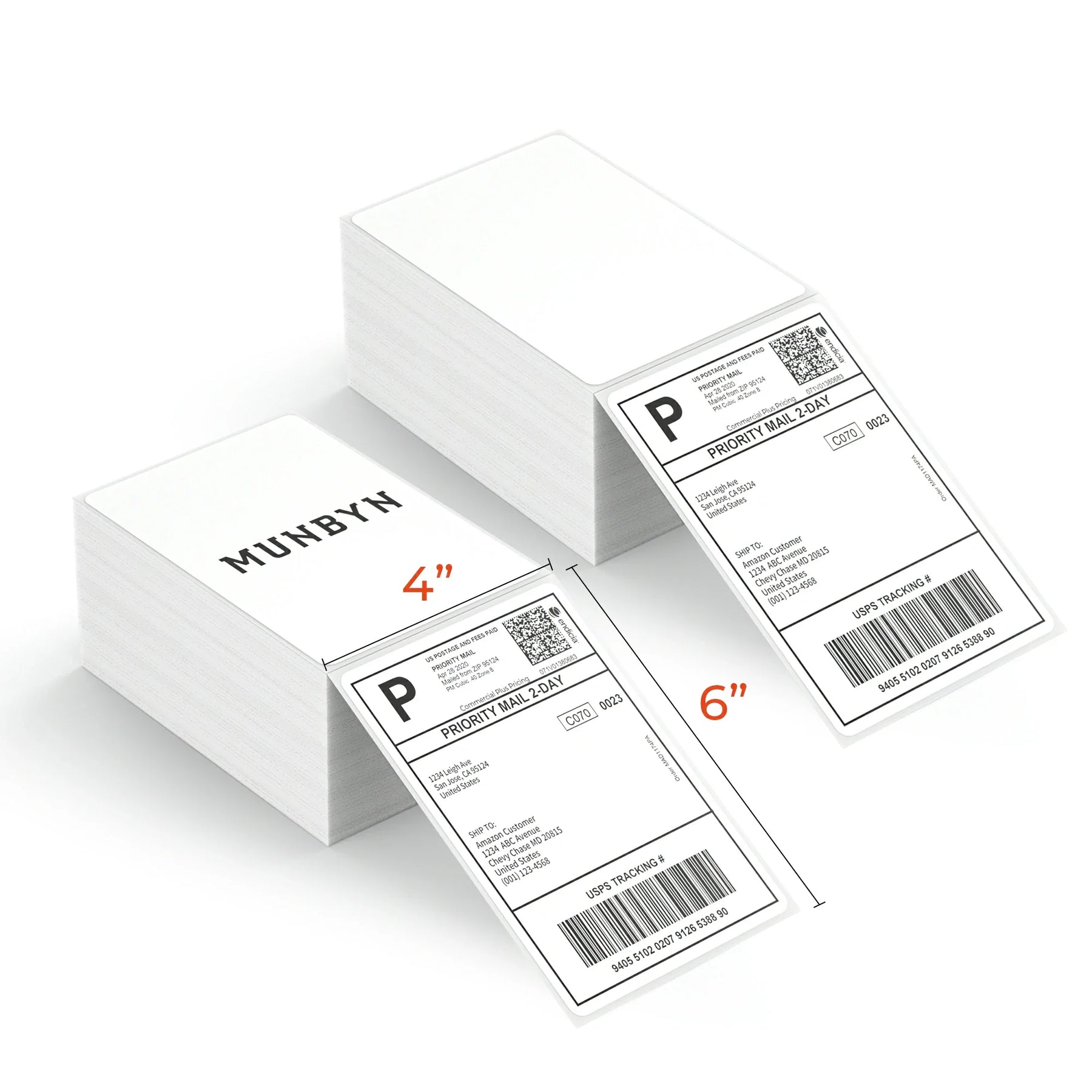
Wrapping Up
Overall, printing shipping labels from home is the best and cheapest option. Not only does it save you the time and cost of going to the post office, but it also allows you to print high-quality shipping labels that streamline your shipping process. Happy printing and shipping, and best of luck with your small business!

Share:
The Best Label Printer for Shopify Store
Which stickers sell best on Etsy?