


 Italy
Italy Bestseller
 All Printers
 All Labels
 Money Counters
 All Accessories
FBA barcode labels are unique labels that Amazon requires its sellers to attach to each unit of a product they intend to sell through the Fulfillment by Amazon (FBA) program. These labels contain a scannable barcode that Amazon uses to identify each individual product and track it through the fulfillment process.
When a seller sends their inventory to an Amazon fulfillment center, they must attach these barcode labels to each unit of their products before sending them in. Amazon scans each label upon receipt of the goods and uses the barcode information to add the products to the seller's inventory in the Amazon system. When a customer orders the product, Amazon uses the barcode to locate the product in its warehouse and ship it to the customer.
Which barcodes does Amazon require?
Amazon requires all Fulfillment by Amazon (FBA) products to have a scannable barcode called an FNSKU (Fulfillment Network Stock Keeping Unit) label. The FNSKU barcode is unique to each product and is used by Amazon to track and identify the product throughout the fulfillment process.
If you are selling a product that already has a UPC, EAN, or ISBN barcode, you can use a barcode conversion tool to generate the corresponding FNSKU barcode. However, if your product does not have a barcode, you can request a UPC or EAN exemption from Amazon, and Amazon will generate an FNSKU barcode for your product.
What must be on FNSKU barcode labels?
Amazon product labels must contain certain information to meet Amazon's requirements. Here is the information that must be included on FBA barcode labels:
Product Name: The product title must also be included on the FBA barcode label so that Amazon can quickly identify the product.
Condition: The condition of the product should be indicated on the label (new, used, or refurbished) so that Amazon can correctly sort and manage inventory.
FNSKU or Barcode: This is the scannable barcode that contains the unique identification number for each unit of the product.
What equipment do I need to print barcode labels?
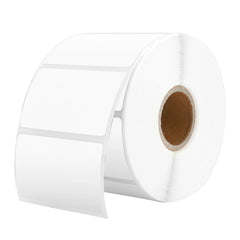
- It is recommended to use a thermal printer that is compatible with Amazon's label requirements. The printer should be capable of printing high-quality scannable barcodes, as Amazon recommends a resolution of 300 dpi or higher.

- Thermal Labels: You will need thermal labels that meet the size requirements for FNSKU labels. These include black print on white, self-adhesive label paper. Acceptable label dimensions are between 1 x 2 inches and 2 x 3 inches. Other acceptable sizes would include 1 x 3 inches or 2 x 2 inches, for example.
Do I need to buy a label printer to print barcode labels?
While Amazon's label printing service is convenient, the cost of $0.20 per item can add up over time, especially if you have a large inventory of products. With your own label printer, you can print labels at a lower cost per unit, which can lead to significant savings in the long run.
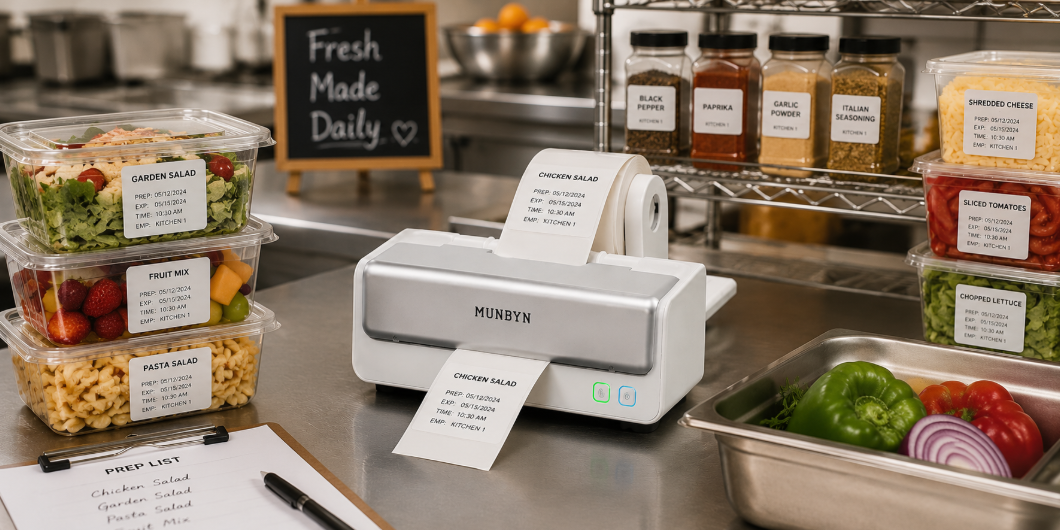
One advantage of using a Munbyn thermal label printer is that it produces high-resolution labels with a print resolution of up to 300 dpi. This means your labels will look clear, legible, and professional – an important aspect of presenting your products on Amazon. Additionally, up to 72 labels can be printed per minute, which represents enormous time savings if you have many products to label. The printer also takes up relatively little space, so it won't take up too much room on your desk or workspace. It's also worth noting that the Munbyn printer is compatible with a variety of label sizes, including the 2.25 x 1.25 inch labels commonly used for FBA barcodes.
How are the labels correctly placed on the products?
Under the FBA program, the label must be placed in a visible, easily accessible location on the product, and one label is required for each item sent to FBA.
Generally, FBA barcode labels should be applied to the product itself, rather than the packaging, whenever possible. If the product has a flat, smooth surface, the label should be affixed to that surface. If the product does not have a suitable surface for the label, you may need to apply it to the packaging instead.
The label should not be placed on curves, corners, or edges to avoid damage or peeling. Additionally, the label should be placed on the outermost layer of the packaging for easier scanning and identification.
Adhering to Amazon's guidelines for label placement is crucial to ensuring that your inventory is processed quickly and accurately. Failure to correctly place the label can lead to delays in processing your inventory, additional fees, or even the rejection of your products.
What other labels might I need for Amazon FBA?
- Sold as a set: If your product is sold as a set with multiple items, you may need to add a label to indicate that the items are sold as a set and should not be separated.
- Choking Hazard Label: If your product contains packaging that could pose a choking hazard (e.g., plastic bags), you must include a warning label to inform customers of the potential danger.
- Ready to ship: If your product is ready to ship immediately upon arrival at the fulfillment center, you may need to include a label to expedite the processing of your shipment.
- Expiration Dates: If your product has an expiration date, you must place a label with the expiration date on each unit of the product to ensure that customers receive fresh products.
- Warning Labels: If your product requires a warning label, such as for a hazardous material or choking hazard, you must affix this label to your product.

Packing and Labeling for Amazon FBA
Properly labeling your products is an essential part of the Amazon FBA process that can significantly impact the success of your business. By following Amazon's guidelines, you can ensure that your inventory is processed quickly and accurately and that your customers receive their orders on time. Whether you use Amazon's labeling service or invest in your own label printer, you should make sure you understand the requirements and take the time to label your products correctly. This will help you avoid delays, additional fees, and other issues that can negatively affect your business. Labeling is just one aspect of a successful FBA business, but getting it right can make a big difference.
Share:
How to Make Your Own Temporary Tattoos with a Thermal Printer
How can I print DHL labels?