Scroll to top

Drucken Sie alles, überall

Ihre Ideen, Ihr Raum – drucken Sie, wo immer Sie die Inspiration packt.

Tintenfrei, sorgenfrei

Keine Tinte. Spart Zeit, Geld und die Umwelt.

Schnell zu drucken, einfach weiterzudrucken

Hohe Geschwindigkeit: 150 mm/s = ein 4×6-Etikett pro Sekunde.

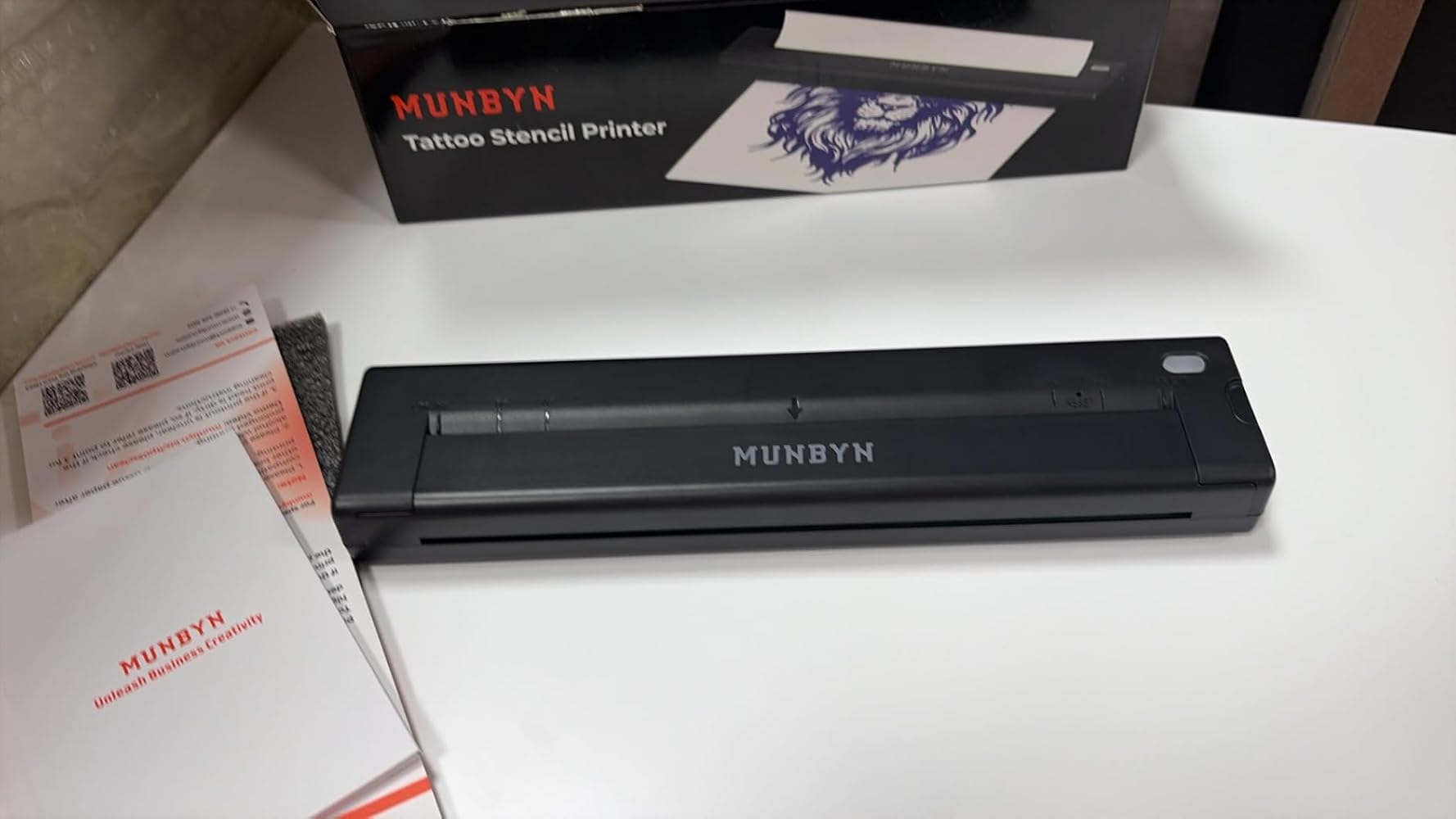
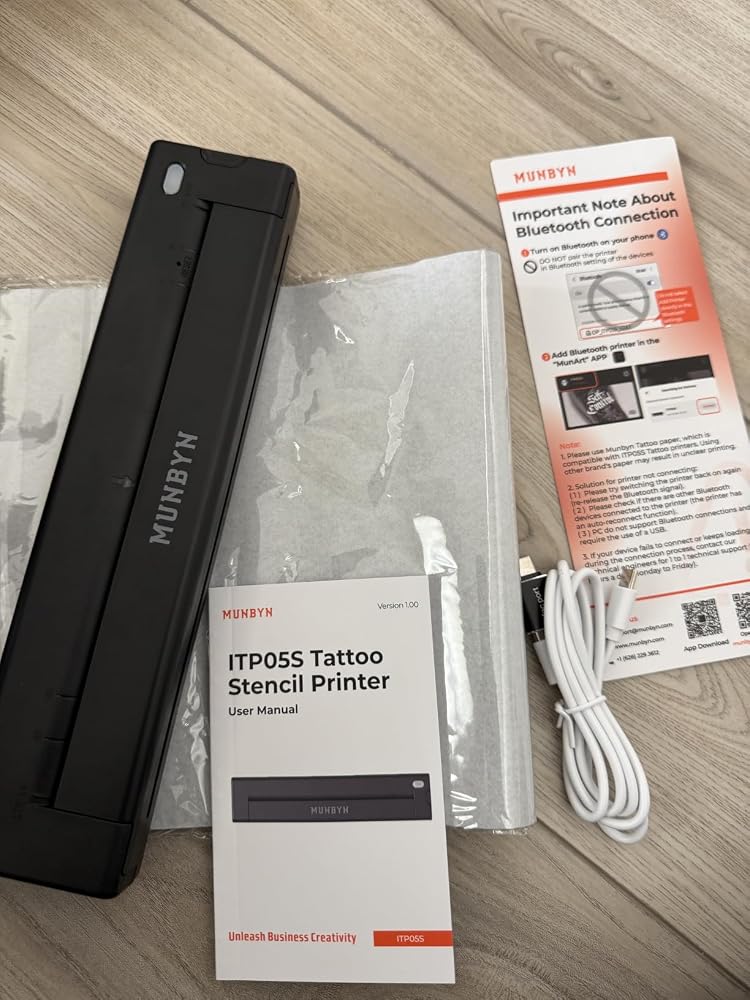
MUNBYN ITP05S Tattoo-Schablonen Drucker mit 20 Blatt Transferpapier
79,69€

Produktdetails

Laden Sie unsere App herunter

Hochwertige Etiketten in wenigen Minuten
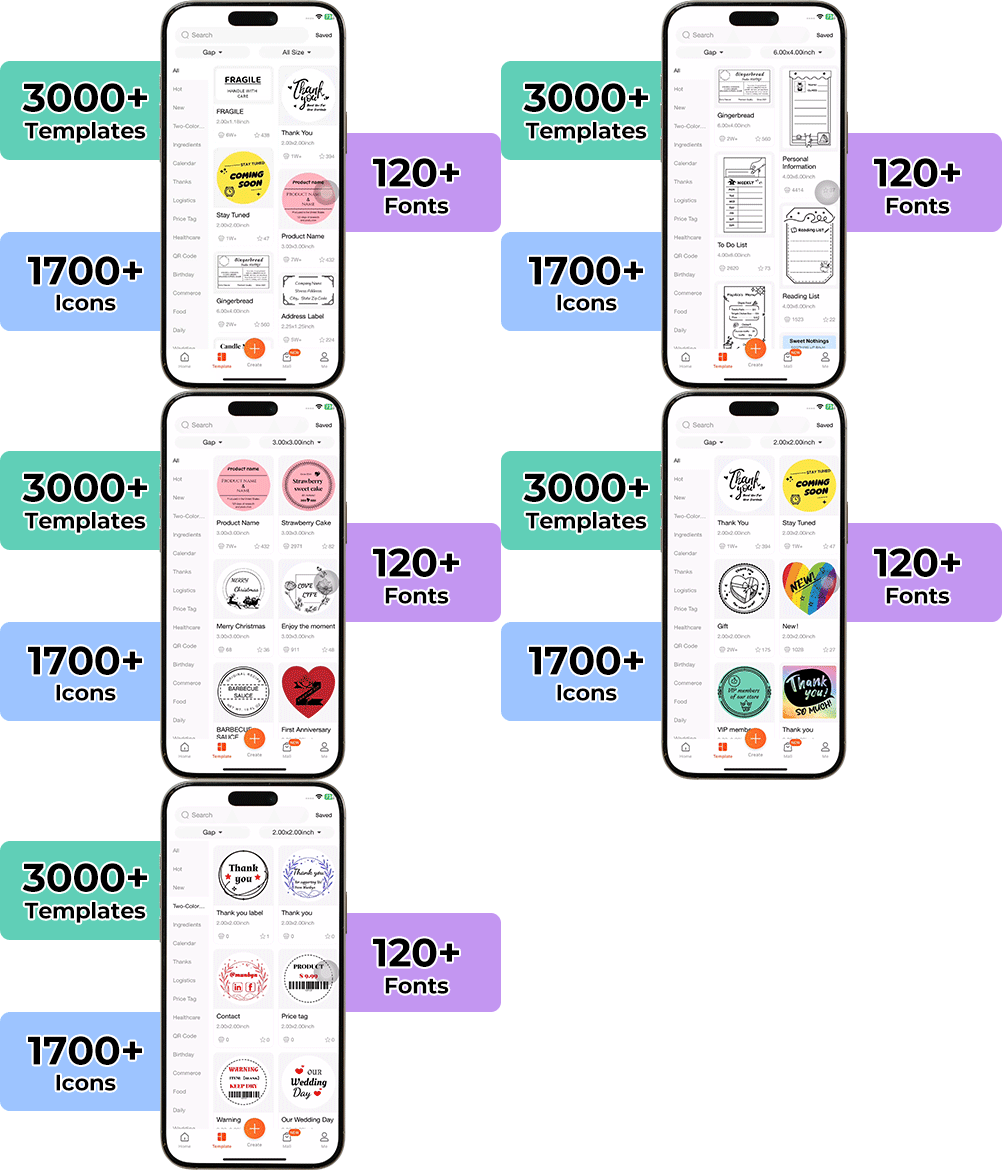
Die Gestaltung individueller Verpackungen war noch nie so einfach. Mit der MUNBYN-App und unseren vielseitigen DIY-Etiketten steht Ihnen eine Bibliothek mit über 3.000 Designelementen und Vorlagen zur Verfügung.

Entwerfen Sie maßgeschneiderte Logos und Werbeaufkleber, die die Persönlichkeit Ihrer Marke perfekt widerspiegeln – und das alles, ohne Ihr Budget zu sprengen.


Google Play

Google Play

Jetzt herunterladen

 
Online-Redakteur

Online-Redakteur

Jetzt erstellen

Benutzerhandbuch

Benutzerhandbuch

Jetzt herunterladen

Stolz darauf, von Frauen geführt zu werden

80 % unseres Führungsteams sind Frauen, die Empathie und Innovationskraft in jedes Design und jede Entscheidung einbringen. Denn wenn Frauen führen, wird Technologie menschlicher – und Kreativität bedeutungsvoller.

Drahtlose Freiheit

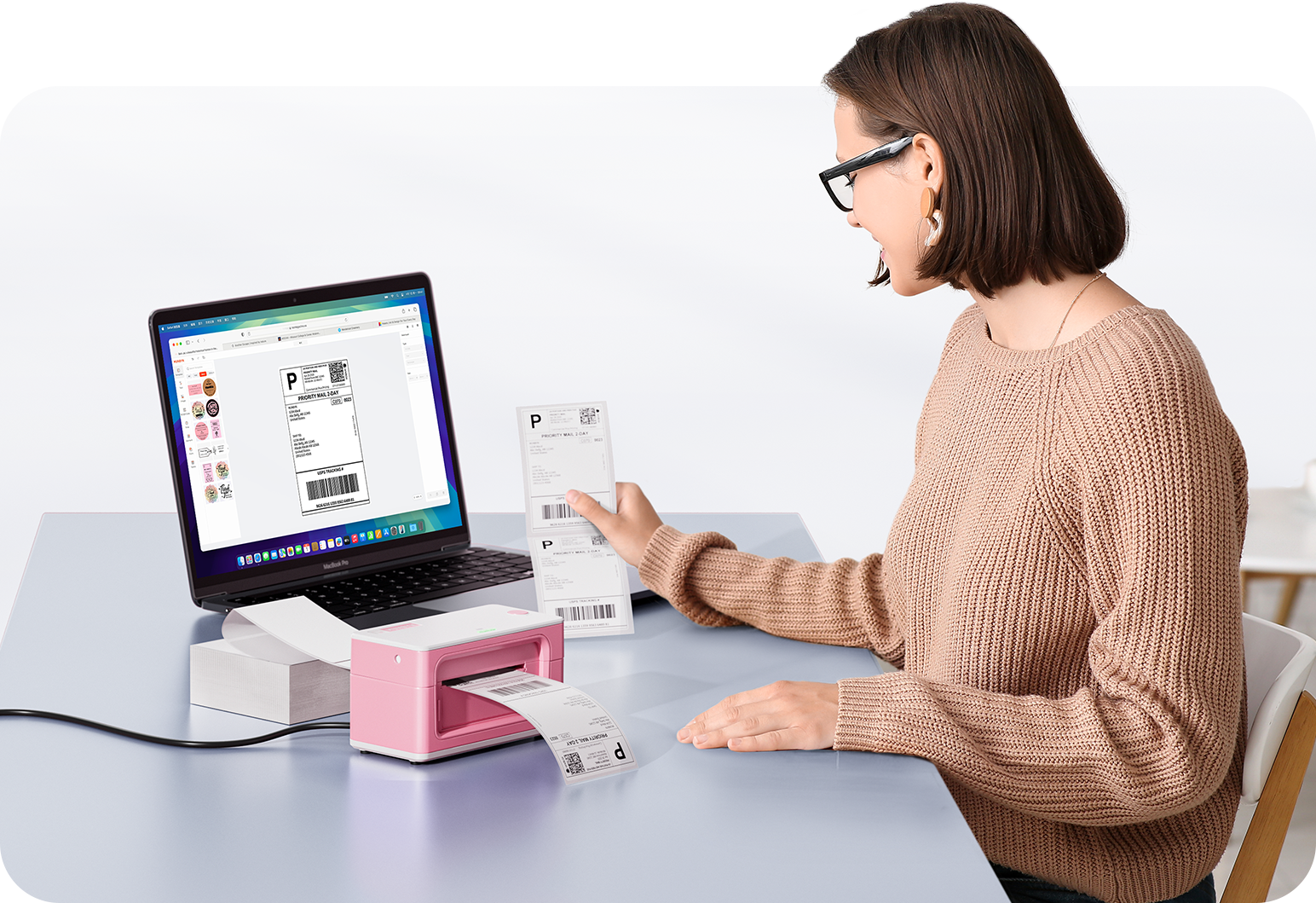
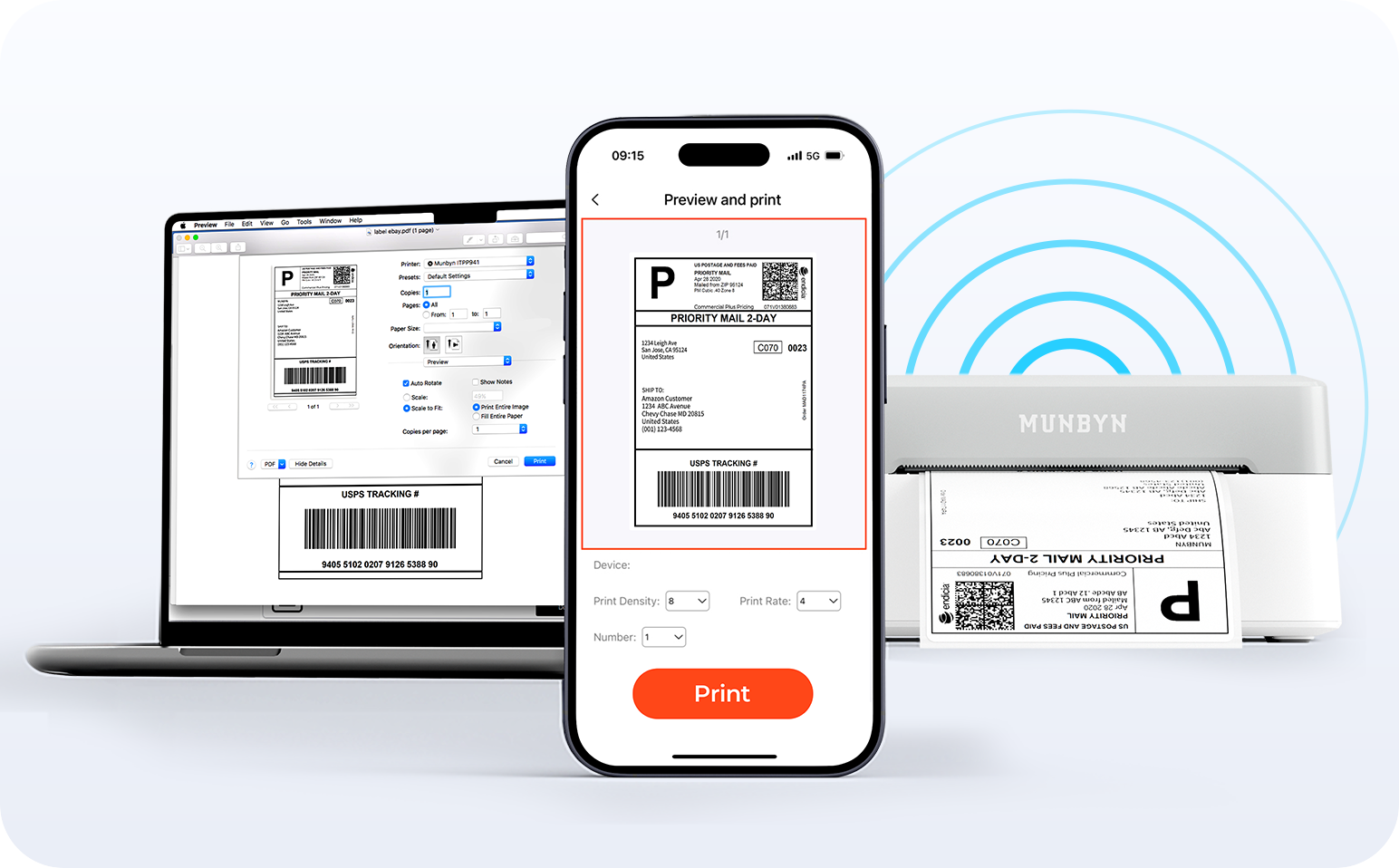
Verabschieden Sie sich von Kabelsalat und begrüßen Sie müheloses Drucken. Genießen Sie sofortige Bluetooth-Verbindungen, wo immer Sie arbeiten, oder schließen Sie Ihr Gerät bei Bedarf per USB an. Nahtlose Kompatibilität mit Windows, Mac, iPhone, iPad und Android – Ihr gesamter Arbeitsbereich vernetzt, Drucken kinderleicht.

Video laden:

Intelligente Etikettenerkennung

Label Freedom. Müheloses Drucken beginnt hier.

Unterstützt alle Arten von Thermodirektetiketten

4x6" 3x2" 3x1" 2x1" 4" 2"

Ihr MUNBYN-Drucker erkennt und passt sich automatisch an verschiedene Etikettengrößen an – eine manuelle Einrichtung ist nicht erforderlich. Von 4×6-Versandetiketten bis hin zu 2×2-Logoaufklebern und einem breiten Spektrum von 40 mm bis 110 mm Breite dauert der Wechsel zwischen verschiedenen Aufgaben nur Sekunden.

Ihr All-in-One-Tool für die wichtigsten Marktplätze und Mobilfunkanbieter, einschließlich, aber nicht beschränkt auf

Konzipiert für den Druck von mehr als 980.000* Etiketten auf Versandetiketten

Wie Menschen MUNBYN nutzen

Die Angaben zur Druckkopflebensdauer und Etikettenanzahl basieren auf Laborberechnungen (150 km Druckkopflebensdauer × 4×6 Zoll Etikettenlänge). Die tatsächliche Leistung kann je nach Druckhäufigkeit, Etikettenmaterial, Betriebsumgebung und Wartungsbedingungen variieren.

Versandetikett

Benutzerdefiniertes Etikett

Barcode-Etiketten

Zerbrechliche Etiketten

Markenetiketten

Aufkleber für Kita/Schule

  • 5 stars: 12 (80%)
  • 4 stars: 3 (20%)
  • 3 stars: 0 (0%)
  • 2 stars: 0 (0%)
  • 1 star: 0 (0%)
S
Spotter
Schneller und "unkomplizierter" Tattoo Drucker - Perfekt :-)

Der MUNBYN ITP05S macht insgesamt einen sehr guten Eindruck. Die Einrichtung funktioniert schnell und dank Bluetooth lässt sich der Drucker unkompliziert mit Smartphone oder Tablet verbinden. Auch die Kompatibilität mit Android, iOS, macOS und Windows ist ein großer Pluspunkt!!Die Tattoo-Schablonen lassen sich sauber und detailreich ausdrucken. Toll dass bereits 10 Blatt A4-Transferpapier im Lieferumfang enthalten sind, sodass man direkt loslegen kann. Die kompakte Bauweise ist ebenfalls gelungen und nimmt nicht viel Platz weg.Die Bedienung ist angenehm einfach und die Ausdrucke sind für Tattoo-Stencils schön klar und präzise. Auch optisch gefällt mir die rosa Ausführung - mal etwas anderes als die üblichen schwarzen Geräte :-))Insgesamt ein praktischer und benutzerfreundlicher Thermodrucker für Tattoo-Schablonen. Schnelle Verbindung, gute Druckqualität und kompakte Größe machen ihn zu einer empfehlenswerten Lösung für alle, die ihre Stencils unkompliziert erstellen möchten!!Liebe Grüße!

J
Jolasten eta ikasten
La compramos para plantillas de tatuajes y hemos descubierto muchos más usos

Esta impresora la compramos principalmente pensando en utilizarla para hacer plantillas de tatuajes temporales con henna. No hacemos tatuajes permanentes con ella, así que inicialmente la idea era utilizarla para ese tipo de actividades y talleres. Pero como al fin y al cabo estamos ante una impresora térmica portátil, hemos descubierto que se le puede sacar bastante más partido cuando no estamos preparando tatuajes.La MUNBYN ITP05S es compacta, ligera y funciona con batería, por lo que una de sus mayores ventajas es precisamente poder utilizarla sin tener que buscar un enchufe. Se puede conectar por Bluetooth a un móvil o tablet Android o iOS, mientras que para utilizarla con un ordenador hay que recurrir al cable USB.Para las plantillas de henna nos resulta bastante cómoda. Preparas el diseño, lo envías a la impresora y obtienes la copia térmica que después utilizamos para realizar el tatuaje temporal. La impresión de las líneas es bastante nítida, algo especialmente importante cuando el dibujo tiene detalles pequeños o trazos finos.Lo curioso es que, cuando no tenemos talleres de tatuajes temporales, no se queda guardada en un cajón. Hemos empezado a utilizarla para otros trabajos porque admite papel térmico estándar en formato A4. Esto amplía bastante las posibilidades de la máquina y, en nuestro caso, hace que tenga mucho más sentido haber invertido en ella.Por ejemplo, se puede utilizar para imprimir documentos sencillos, hojas de trabajo, esquemas o plantillas para manualidades. También puede resultar interesante para preparar diseños que después queramos utilizar en proyectos de crafting, especialmente si trabajamos con plantillas de corte. Evidentemente, el tipo de papel térmico que utilicemos tendrá que ser adecuado para el uso que queramos darle.Una cosa importante si se utiliza con papel térmico normal es ajustar la densidad de impresión desde la aplicación. Las plantillas de tatuaje necesitan una impresión más intensa, pero para documentos normales no hace falta tanta potencia y conviene reducir la oscuridad. De esta manera se consigue una impresión más limpia y también se evita gastar batería innecesariamente.La aplicación permite preparar las imágenes antes de imprimirlas, pudiendo modificar el tamaño, recortar, girar y organizar diferentes diseños. Esto facilita bastante el trabajo cuando queremos aprovechar mejor el espacio de una hoja.Lo que más me gusta es precisamente su versatilidad. Si solo la utilizáramos para hacer plantillas de tatuajes temporales, probablemente tendría un uso bastante concreto, pero al poder utilizarla también como impresora térmica portátil podemos aprovecharla para otras tareas. Además, al no utilizar tinta ni cartuchos, se simplifica bastante el mantenimiento.También me gusta que sea portátil y que funcione con batería. Poder llevarla a un taller o utilizarla en cualquier lugar sin depender de un enchufe es una ventaja importante.Lo que menos me gusta es que hay que tener claro qué tipo de papel estamos utilizando y ajustar correctamente la configuración de impresión. Si se utiliza una configuración demasiado intensa con papel térmico convencional, la impresión puede quedar excesivamente oscura. No es complicado solucionarlo, pero al principio hay que prestar un poco de atención a este detalle.En resumen, una termocopiadora pensada principalmente para plantillas de tatuajes que, en nuestro caso, ha resultado ser bastante más versátil. La utilizamos para tatuajes temporales con henna, pero cuando no tenemos talleres podemos aprovecharla como impresora térmica portátil para otros proyectos, manualidades y trabajos. Y eso hace que no tengamos una máquina específica para un solo uso acumulando polvo en una estantería.

D
Dog Mom

Surprisely compact and smallWell packagedEasy to set up and useHolds A4 paper easilyDoes need to download an app which is quick and simple to doVery sturdy lookingIdeal for on the goThis is rechargeable so no batteries requiredCharged up pretty fastCame with sheets of paperUsb charger lead and full instructions included in the boxIdeal for lots of projects.This is wirelessEasy to put in bag etcEasy to keep cleanA must for the tattooistHighly recommended5 Stars

A
Amazon user - N

The printer is easy to set up and connects quickly via Bluetooth. It prints clean, detailed stencils, and the included transfer paper is a nice bonus. It’s compact, reliable, and works well with phones and PCs. A great choice for both beginners and experienced tattoo artists.

S
Shay M

This Munbyn tattoo stencil, printer lives up to its name. I have used this company before for a thermal printer and decided to give this a go. I’m glad I did. It is a really reliable company and their items are always reasonably priced. They also produce quality things.I use this prior to drawing on a tattoo. It works with your phone via Bluetooth. It comes with an instruction booklet that shows you how to connect it to your phone via Bluetooth. It comes with aand their items are always reasonably priced. They also produce quality things.I use this prior to drawing on a tattoo. It works with your phone via Bluetooth. It comes with a instruction booklet that shows you how to connect it to your phone via Bluetooth. It comes with a connection charger. You do need to provide your own block. It is padded so it did not come with any scratches.It comes with 20 stencil papers. The design transferred flawlessly to the skin. It prints very quickly and quietly. The connection is very stable as well.I have included this as a staple in my small business. For the price point it is unbeatable. It does what it says, and it does it with quality and style. I couldn’t recommend this more.

S
SteveO

Thermal stencil printer for tattoo transfers. Load the paper, print the design, peel away the unneeded materials and transfer the outline to skin. USB C battery powered printer that prints from iOS via Bluetooth and the required application, or print via PC or Mac with the included USB C cable and the USB C to USB A adapter if needed.Print quality exceeds my expectations! The resolution is good, the transfer works well. The app works but I do not like how you have to pay to used the AI features to clean up artwork. I won’t use this, just use my own artwork and the app for printing only. The app monetization is the only reason this printer isn't getting 5 stars. It works great. Easy to use. Quality transfer solution.

S
Studio Pair

Even though I’m not a tattoo artist myself, I can certainly appreciate well-designed equipment, and this printer immediately stood out as a compact, thoughtfully engineered tool.One thing I really like is its size. At just over two pounds, it’s small enough to take to conventions, guest spots, or simply move around a studio without dedicating a permanent workspace to it.The thermal printing process means there’s no ink to buy, no cartridges to replace, and no clogged print heads to worry about. The stencil lines printed cleanly and consistently during our testing.Setup was straightforward. Bluetooth paired quickly, and the companion app made it easy to print directly from a phone or tablet. The ability to resize, rotate, and adjust designs before printing is a nice feature, especially for artists who frequently customize artwork.The rechargeable battery is another highlight. Being able to print without searching for a power outlet makes this especially useful for mobile artists or convention work.For beginners, I think the included design library inside the app is a nice bonus. Experienced artists will probably appreciate the editing controls and wireless workflow even more.Overall, this is a compact, modern stencil printer that’s easy to transport, easy to use, and produces clean tattoo transfer stencils without the mess of ink-based systems.PROS• Compact, lightweight design• Ink-free thermal printing• Clean stencil output• Bluetooth connectivity• Works with phones, tablets, Windows, and Mac• Good battery life• USB-C charging• Useful editing tools within the app• Built-in tattoo design library for beginnersCONS• Best results come from dialing in the print density for different transfer papers• Tattoo transfer paper is a continuing consumable expenseBUYER TIPIf you’re using transfer paper from a manufacturer other than MUNBYN, spend a minute adjusting the print density in the app. A small adjustment can make a noticeable difference in stencil quality.WHO SHOULD BUY IT• Professional tattoo artists• Apprentice tattoo artists• Mobile tattoo artists• Convention artists• Beginners learning tattooing• Studios wanting a compact wireless stencil printerWHO MIGHT WANT SOMETHING ELSE• Anyone looking for a traditional ink printer• Users who don’t need wireless printing

J
Jojo la bricole
Bien

C'est ma fille qui en est fan, elles se font leurs tatouages temporaires entre copines avant leurs sorties et il faut reconnaître que ça marche pas mal et que le rendu est assez sympa !

C
Customer Review

I wanted a quicker and cleaner way to produce tattoo stencils without relying on larger equipment, so this wireless tattoo printer seemed like a practical option. The fact that it works with phones, tablets, and a PC made it appealing, especially when switching between different designs.Setting it up was fairly straightforward, and connecting it to my phone was simple enough after installing the companion app. Once everything was paired, printing stencil designs was quick, and the transfer quality was clear enough for most artwork. The thermal printing process means there is no ink to worry about, which keeps ongoing costs down and makes the whole experience less messy.The printer itself feels compact and well made, making it easy to move around or take to different locations if needed. Including several transfer sheets in the box is a nice touch because it allows you to get started straight away without buying extra supplies. It is suitable for both experienced artists and those who are still learning, as the process is easy to pick up after a little experimentation.There are a few areas where it could be improved. The app can take a little time to get used to, particularly when adjusting image size and positioning for the best results. Very detailed or heavily shaded artwork may also need some tweaking before printing to achieve the clearest stencil. The print speed is perfectly acceptable, although larger designs naturally take a little longer.Overall, I have been pleased with this tattoo printer. It produces clean transfer stencils, is convenient to use thanks to its wireless connectivity, and its compact design makes it easy to keep close at hand. For anyone looking for a portable stencil printer that avoids the bulk of traditional machines, this is a solid choice.

A
Amazon customer

I’m really impressed with this tattoo stencil printer. It’s easy to set up and use, and being wireless makes the whole process so much more convenient. The print quality is clear and the transfers come out really well, which makes preparing designs much quicker and easier.The fact that it works with phones, tablets and PCs is a big bonus too. It feels like a very useful bit of kit for both beginners and more experienced artists. Great value for money and I’m really happy with the purchase.

J
JP

The MUNBYN ITP05S tattoo printer is a useful tool for tattoo artists, apprentices, or anyone practising tattoo designs. It provides a quick and convenient way to create stencil transfers without the need for traditional manual tracing methods.The wireless connectivity is a great feature, allowing designs to be sent directly from a phone, tablet, or PC. The setup is straightforward, and the compact size makes it easy to store or take between locations.The print quality is good, producing clear and detailed stencils that make transferring designs onto skin much easier. The included transfer sheets are a useful bonus, especially for beginners who want to try the printer straight away.The build quality feels good, with a lightweight but practical design. It doesn't take up much space and is simple to operate, making it a good option for both home practice and professional environments.Overall, this is a reliable and convenient tattoo stencil printer that saves time and improves workflow. While more experienced artists may want a higher-end model for heavy daily use, this offers excellent value and is a great starting point for beginners or occasional tattoo work.

H
Horrorfan
TOP

Mit dem leichtem und tragbarem MUNBYN ITP05S Tattoo Drucker erhält man einen sehr kompakten und überaus guten Thermodrucker, der sich einfach transportieren und mit seiner schmalen Form gut verstauen lässt. Im Lieferumfang enthalten ist neben dem Drucker noch Transferpapiere, eine Aufbewahrungstasche, ein Ladekabel und eine ausführliche Anleitung. Der tragbare Drucker ist schnell einsatzbereit und ist von der Funktion her fast wie ein Standarddrucker. Die Kopplung über Bluetooth mit dem Smartphone, Tablett, Laptop oder PC (hier nur per Kabel) funktioniert problemlos und das Gerät wird gut erkannt. Die Bedienung ist sehr leicht und schnell erlernbar. Beim Druck ist das Gerät recht leise und schnell, liefert ein sauberes Druckergebnis. Mit der APP kann man die Bilder jederzeit bearbeiten. Qualität und Verarbeitung sind sauber ausgeführt und machen einen sehr guten Eindruck. TOP

S
Sergii Popov
Buena impresora para plantillas de tatuaje

Es una impresora térmica bastante sencilla, pero cumple bien con su función. La he utilizado para imprimir plantillas de tatuaje y el resultado ha sido correcto. La conexión es fácil de configurar y el proceso de impresión no da complicaciones.El tamaño compacto es otro punto a favor, ya que ocupa poco espacio y se puede transportar sin problema si hace falta. La calidad de las transferencias es buena siempre que se utilice el papel adecuado y una imagen bien preparada.No tiene funciones especialmente avanzadas, pero tampoco las echo en falta para un uso normal. Si buscas una impresora para hacer plantillas de tatuaje de forma rápida y cómoda, me parece una buena opción.

A
Amazon.Customer

I found that the stencil prints nicely and sharply. The MUNBYN produces clear, crisp lines that transfer well, and the thermal output is consistent across different designs. It connects easily to both phones and computers, and the included transfer paper feeds smoothly without jamming. For quick stencil creation, it is fast, reliable, and simple to use.The compact size makes it convenient to keep on a workstation, and the print quality is strong enough for both beginners and experienced artists. Overall, it performs exactly as expected and delivers clean, professional‑looking stencils.Summary of Why I Rated It 5 Stars;I rated this product five stars because the stencil prints sharp and clean, the machine is easy to use, and the output quality is consistently reliable.

d
dreimalschwarzerkater
Kompakter Tattoo-Stencil-Drucker – klare Drucke und einfache Bedienung

Den Stencil-Drucker habe ich heute erhalten und direkt getestet. Der erste Eindruck ist sehr gut.Das Gerät ist leicht, kompakt und gut verarbeitet. Die Bluetooth-Verbindung mit dem Smartphone hat schnell und stabil funktioniert. Die App ist übersichtlich und die Druckqualität der Schablonen ist klar und detailreich – die Linien kommen sauber rüber.Die mitgelieferten Transferpapiere funktionieren einwandfrei und der Thermodruck läuft ohne Tinte zuverlässig. Der Akku hält für mehrere Drucke und das Gerät ist auch mobil gut einsetzbar.Besonders praktisch finde ich die Bearbeitungsmöglichkeiten in der App und die einfache Handhabung. Für den Einstieg oder den flexiblen Einsatz macht der Drucker bisher einen starken Eindruck.Alles in allem eine gelungene und alltagstaugliche Lösung für Tattoo-Schablonen. Nach den ersten Tests bin ich zufrieden und kann ihn weiterempfehlen.

FAQs

Bitte lesen Sie unsere FAQ-Seite, um mehr zu erfahren.

1. Warum sollte ich mich für einen MUNBYN-Thermodrucker anstelle eines Tintenstrahl- oder Laserdruckers entscheiden?

MUNBYN nutzt fortschrittliche Thermodrucktechnologie – das bedeutet: kein Tinte, kein Toner und keine Farbbänder. Sie benötigen lediglich Thermolabels. Dies spart Ihnen nicht nur jährlich Hunderte von Dollar an Verbrauchsmaterialkosten, sondern erspart Ihnen auch das Chaos durch auslaufende Patronen sowie den Frust, mitten im Versandvorgang ohne Tinte dazustehen.

2. Kann ich mit diesem Drucker Thermolabels jeder Marke verwenden?

Ja! MUNBYN-Drucker sind mit allen Thermodirekt-Etiketten kompatibel. Ganz gleich, ob Sie Leporello- oder Rollenetiketten bevorzugen: Solange die Breite zwischen 1,57" und 4,3" (40 mm – 110 mm) liegt, erkennt und kalibriert sich unser Thermodrucker automatisch darauf.

3. Welche Versandplattformen und Marktplätze sind kompatibel?

MUNBYN ist ein Favorit bei Inhabern kleiner Unternehmen. MUNBYN-Etikettendrucker sind vollständig kompatibel mit den wichtigsten Plattformen, darunter:

  • Marktplätze: Amazon, eBay, Etsy, Shopify, Zalando und Shopee.
  • Kurierdienste: UPS, FedEx, ShipStation, Pirate Ship, USPS und DHL.

4. Welche Etiketten kann ich mit diesem Drucker verwenden?

Unsere Thermodrucker unterstützen eine breite Palette an Thermodirektetiketten, darunter 4×6"-Versandetiketten, 3×2"- und 2×1"-Etiketten, Barcode-Etiketten, runde Etiketten sowie individuelle Aufkleberformate (40–110 mm Breite, je nach Modell). Der Drucker erkennt die Etikettengröße automatisch – eine manuelle Kalibrierung ist nicht erforderlich.

5. Ist dieser Etikettendrucker einfach einzurichten?

Ja. Der Etikettendrucker ist auf eine schnelle Einrichtung ausgelegt; entsprechende Schritt-für-Schritt-Installationsanleitungen sowie Treiber-Downloads stehen zur Verfügung. Die meisten Benutzer können die Installation in wenigen Minuten abschließen.

6. Wie kalibriere ich den Drucker für verschiedene Etikettengrößen?

Unsere intelligente automatische Etikettenerkennung erledigt die Arbeit für Sie. Legen Sie Ihre Etiketten ein, halten Sie die obere Taste gedrückt, bis Sie einen einzelnen Signalton hören – und der Drucker passt Etikettengröße sowie Abstände automatisch an, um eine perfekte Ausrichtung zu gewährleisten.

7. Was sollte ich tun, wenn meine Etiketten unscharf oder mit weißen Streifen gedruckt werden?

Hochwertige Druckergebnisse beginnen mit einem sauberen Druckkopf. Falls die Druckqualität nachlässt:

  1. Schalten Sie den Drucker aus und lassen Sie ihn abkühlen.
  2. Wischen Sie den Thermodruckkopf mit einem Alkoholtupfer oder einem Mikrofasertuch ab.
  3. Passen Sie die Einstellungen für Druckdichte und Druckgeschwindigkeit in den Treibereinstellungen an.

    Sollte das Problem weiterhin bestehen, wenden Sie sich bitte an den Kundendienst, um weitere Unterstützung zu erhalten.

8. Verfügt dieser Etikettendrucker über eine Garantie?

Ja, auf jeden MUNBYN-Drucker gewähren wir eine Garantie von 2 Jahren. Wir stehen hinter unserer Hardware und stellen Ihnen ein Ersatzgerät zur Verfügung oder führen eine Reparatur durch, sollten bei Ihnen Herstellungsfehler auftreten.

9. Kann ich den Etikettendrucker sowohl für geschäftliche Zwecke als auch für die Organisation zu Hause verwenden?

Ja. Sie können diesen Drucker sowohl für geschäftliche Etikettierungen (Versand, Barcodes, Inventur, Einzelhandelsetiketten) als auch für die Organisation im Haushalt (Aufbewahrungsetiketten, Vorratsetiketten, Akten, Bastelprojekte) verwenden. Dank seines vielseitigen Thermodirektdruckverfahrens und der Unterstützung zahlreicher Etikettengrößen eignet er sich für ein breites Spektrum an privaten und beruflichen Einsatzbereichen.

10. Gibt es Anpassungsoptionen für Etiketten?

Ja, wir bieten flexible Möglichkeiten zur individuellen Gestaltung von Etiketten – einschließlich Aufklebern, Logo-Etiketten und kreativen Vorlagen für Ihr Branding. Hier individuelle Etiketten bestellen.

Haben Sie Ihre Antwort nicht gefunden?

Zögern Sie nicht, uns zu kontaktieren.

Kostenloser Versand und kostenlose Rücksendungen